
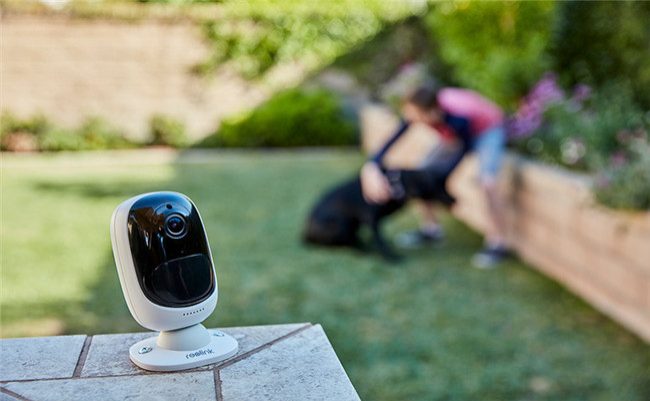
Traditional wired systems are now being replaced by Wi-Fi-enabled security cameras . Thanks to their ease of installation, remote access, and smart alerts, these cameras are being used everywhere, from homes and offices to shops and cafes.
So what exactly are WiFi security cameras? What do they do, and how do you make the right choice?
📡 What is a WiFi Camera?
A WiFi security camera is a wireless security camera that transmits images over the internet. Instead of transferring data via cable, it connects to a Wi-Fi network and transmits images to the cloud or an app.
Main Features:
-
Wireless connection (via Wi-Fi)
-
Live viewing via mobile app
-
Motion detection and notification
-
Support SD card or cloud recording
-
Two-way audio and night vision on some models
🎯 Why WiFi Security Camera?
✔ Easy Installation: No need to lay cables, just plug and play.
✔ Cost-effective: More economical than wired systems.
✔ Mobile Access: Everything is in your pocket, even when you're not at home.
✔ Smart Alerts: Sends notifications when motion is detected.
✔ Video and Audio: Two-way voice calls and HD video recording.
✔ Portability: Ideal for tenants and temporary locations.
🏠 Where is it used?
-
House and apartment
-
Summer houses
-
Office and small businesses
-
Baby and children's rooms
-
Elderly tracking systems
-
Garage / storage areas
🔍 Features to Consider
| Feature | Explanation |
|---|---|
| Resolution | At least 1080p recommended (2MP) |
| Night Vision | IR LED or color night vision |
| Angle of View | 100° and above wide angle is more useful |
| Motion Detection | Smart detection + instant notification |
| Storage | SD card (32/64/128GB) or cloud service |
| Application Compatibility | iOS & Android support, user-friendly interface |
| Sound Feature | Microphone and speaker support (2-way communication) |
💰 Average Price Range (2025)
| Camera Type | Price Range (VAT Included) | Explanation |
|---|---|---|
| 2MP IP WiFi Camera | 900 – 1,500 TL | Home and office use |
| 3MP / 4MP PTZ WiFi Camera | 1,800 – 3,000 TL | Rotating head, wide area surveillance |
| Solar WiFi Camera | 2,500 – 4,000 TL | For places without electricity |
| Indoor Smart Camera | 700 – 1,200 TL | Ideal for baby/elderly monitoring |
🔧 Popular Brands and Models
| Brand | Model | Features |
|---|---|---|
| TP-Link Tapo | C200 / C210 | 360° rotating, motion detection, mobile tracking |
| Ezviz | C6N / C8C | Night vision, cloud + SD recording, IP66 |
| IMOU | Cruiser / Ranger | WiFi + Ethernet support, wide angle |
| Reolink | Argus 2 / E1 Pro | Solar panel support, full HD recording |
| Xiaomi | Mi Home 360 | Affordable price, high-quality image, smart home compatibility |
🛠️ Installation and Usage Tips
-
Test the modem's coverage area. The camera should be located within Wi-Fi range.
-
Install close to an electrical outlet. (Except for solar models)
-
Don't forget about account security. Make sure your camera app password is strong.
-
Test mobile notifications. Get quick alerts when motion is detected.
-
Check the SD card regularly. A full card will not save images.
🔐 Security Tip
Because WiFi cameras work over the internet, cybersecurity is important:
-
Keep camera software updated
-
Do not leave the password as default
-
Use secure Wi-Fi network
-
Check app access permissions





